Set up Apple Intelligence
What you will do
Section titled “What you will do”Find the on-device provider and understand its availability requirements.
Before you start
Section titled “Before you start”- An active Standard or Pro subscription, or an eligible trial.
- An eligible physical device on iOS/iPadOS 26 or later, with Apple Intelligence enabled and its model ready.
Download the tutorial workspace
Where to start
Section titled “Where to start”Settings → AI → Apple Intelligence
Follow the steps
Section titled “Follow the steps”Screenshot capture is in progress for this preview. This page is not approved for publication.
See the control up close
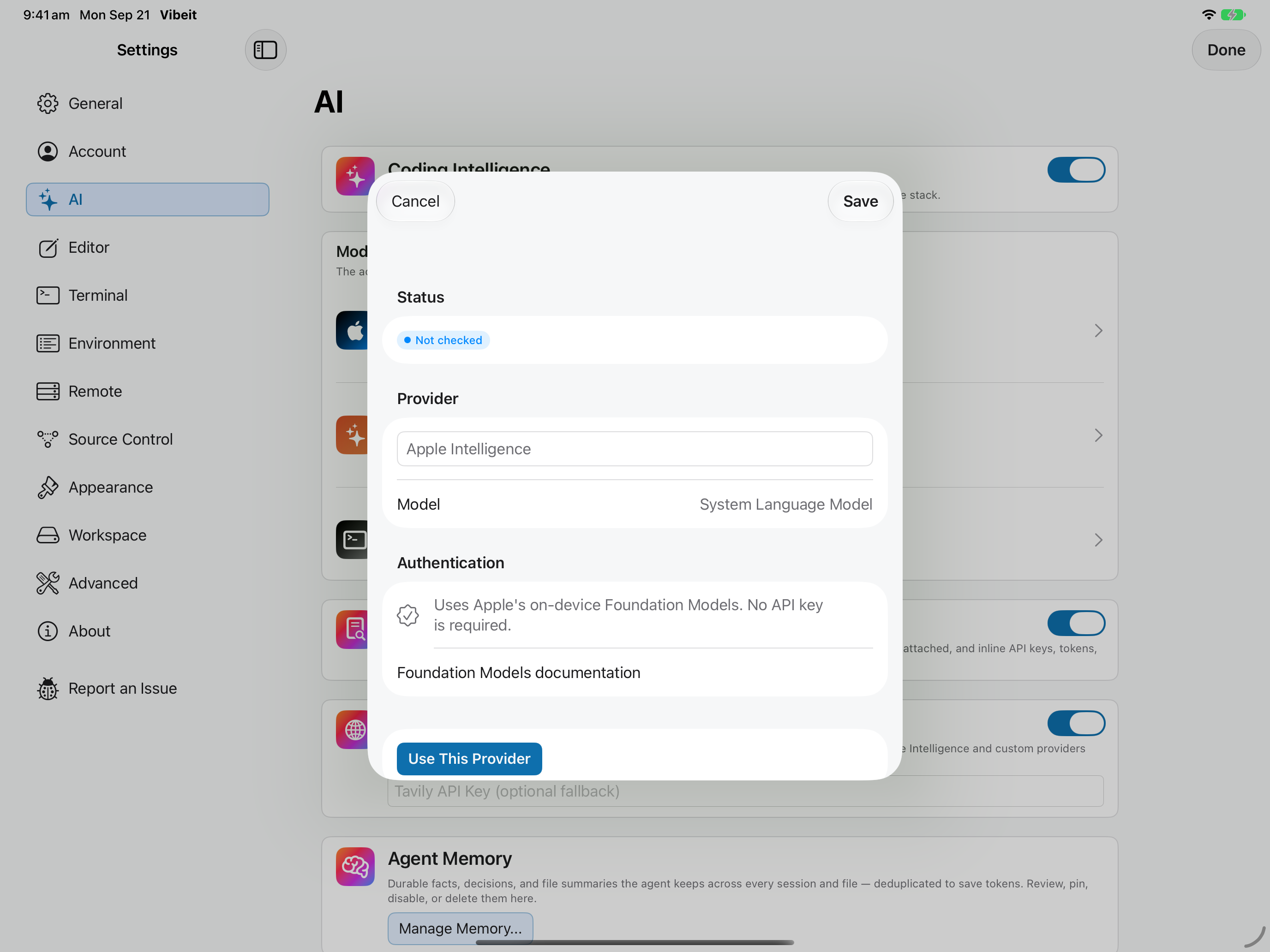
1
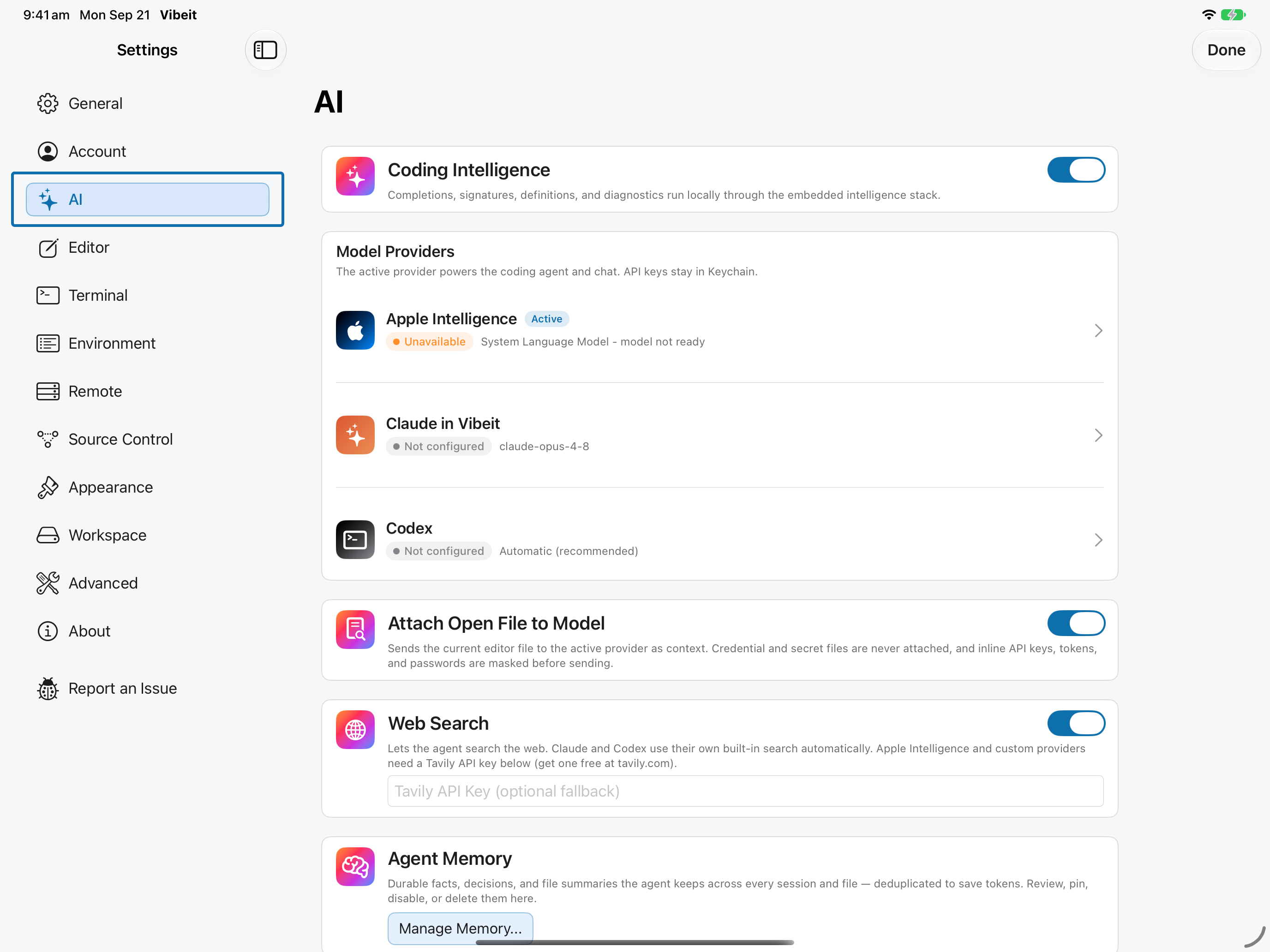
2
3
4
Check the result
Section titled “Check the result”Once available, activate the provider and try a short request. Simulator availability is not evidence of whether your physical device supports it.
If it does not work
Section titled “If it does not work”- If the provider is configured but not used, select Use This Provider and check the active badge.
- For sign-in or key errors, repair the provider configuration before retrying a short request.
- Provider choices can depend on your App Store region, subscription and the provider account.