Configure a Hugging Face token
Dieser Inhalt ist noch nicht in deiner Sprache verfügbar.
What you will do
Section titled “What you will do”Store a Hugging Face token and apply it to a newly started Python kernel.
Before you start
Section titled “Before you start”- An active Standard or Pro subscription, or an eligible trial.
- A working internet connection for the service or download used in this tutorial.
- A Hugging Face account and a token with the required resource permissions, if the resource requires authentication.
Download the tutorial workspace
Where to start
Section titled “Where to start”Settings → Environment → Hugging Face Token
Follow the steps
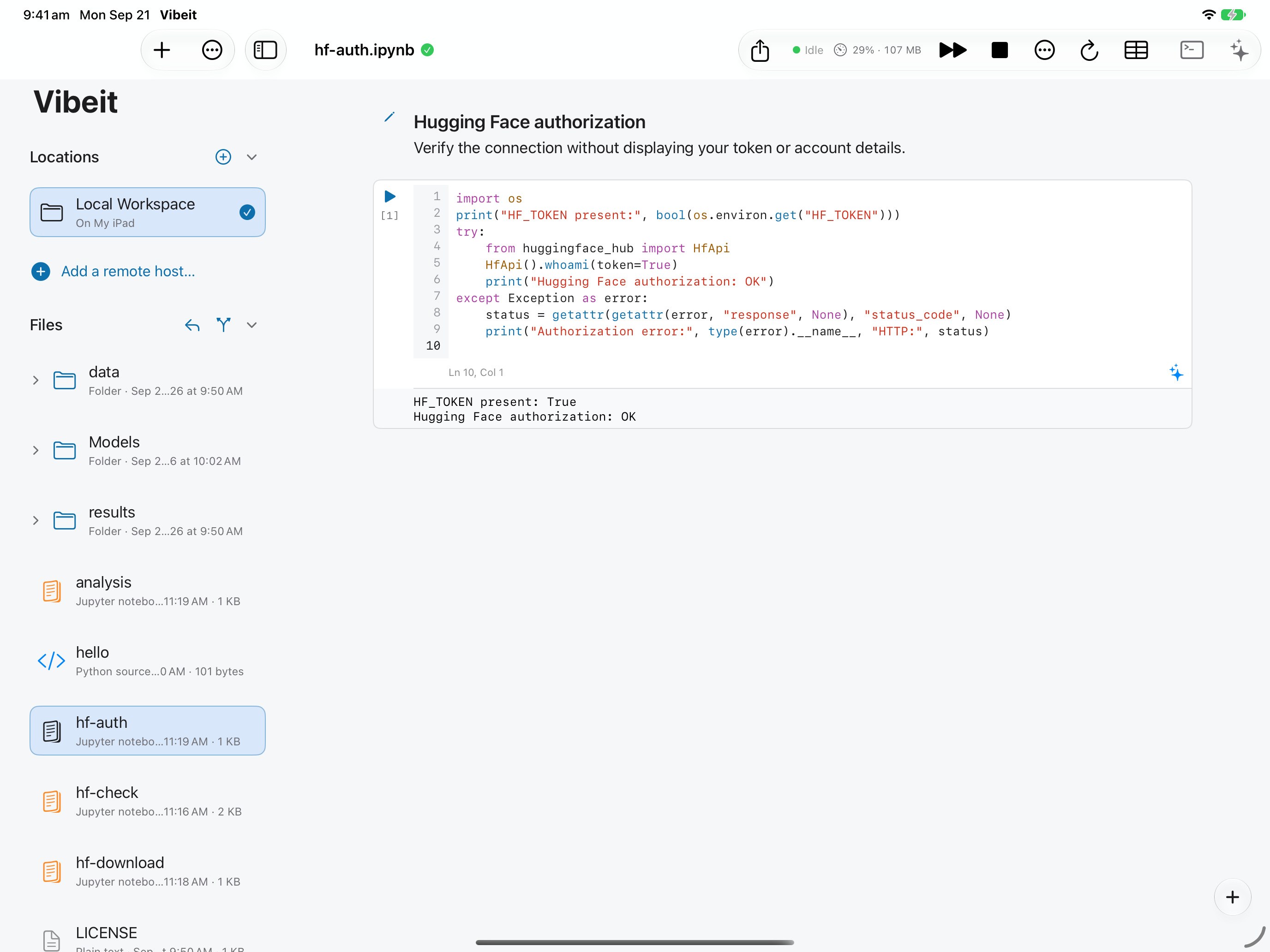
Section titled “Follow the steps”import os print("HF_TOKEN present:", bool(os.environ.get("HF_TOKEN"))) try: from huggingface_hub import HfApi HfApi().whoami(token=True) print("Hugging Face authorization: OK") except Exception as error: status = getattr(getattr(error, "response", None), "status_code", None) print("Authorization error:", type(error).__name__, "HTTP:", status)
Screenshot capture is in progress for this preview. This page is not approved for publication.
See the control up close
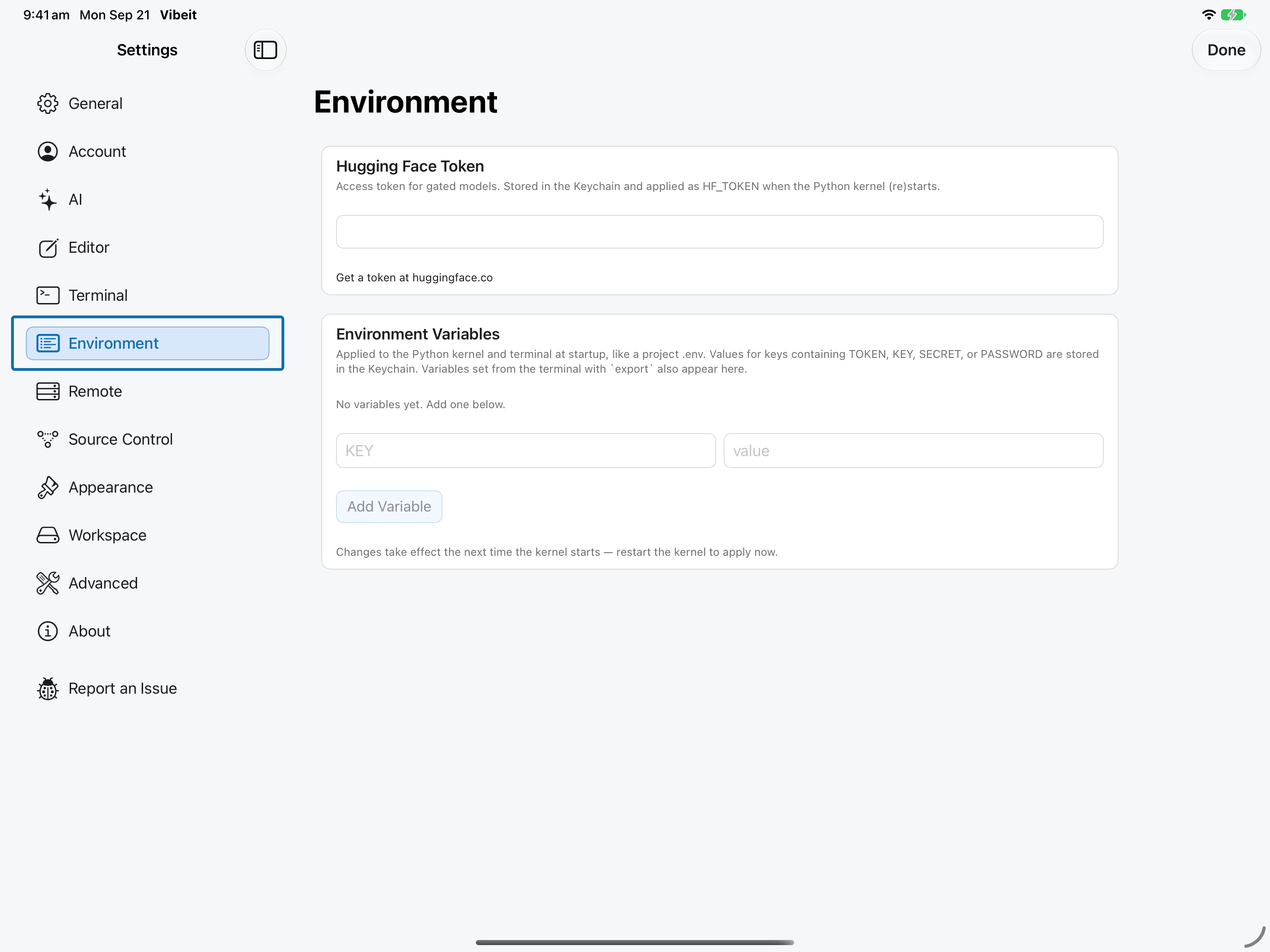
1
2

3
import os
print("HF_TOKEN present:", bool(os.environ.get("HF_TOKEN")))
try:
    from huggingface_hub import HfApi
    HfApi().whoami(token=True)
    print("Hugging Face authorization: OK")
except Exception as error:
    status = getattr(getattr(error, "response", None), "status_code", None)
    print("Authorization error:", type(error).__name__, "HTTP:", status)
4
Check the result
Section titled “Check the result”Run the example. HF_TOKEN present: True confirms the kernel has the token; Hugging Face authorization: OK confirms the service accepts it. Approval for a gated model remains a separate requirement.
If it does not work
Section titled “If it does not work”- If a newly saved token or environment value is not visible to Python, restart the kernel.
- For 401/403 responses, check the token and the resource’s account permissions.
- If a file downloads but does not load, check its format, required packages and available memory.