Open a pull request and resolve sync problems
เนื้อหานี้ยังไม่มีในภาษาของคุณ
What you will do
Section titled “What you will do”Propose changes from a pushed branch and identify common synchronization failures.
Before you start
Section titled “Before you start”- An active Pro subscription. Third-party AI subscriptions and API credits are separate.
- A working internet connection for the service or download used in this tutorial.
- An existing Git repository. Use the separate tutorial repository for practice.
Download the tutorial workspace
Where to start
Section titled “Where to start”Source Control → Create Pull Request
Follow the steps
Section titled “Follow the steps”Screenshot capture is in progress for this preview. This page is not approved for publication.
See the control up close
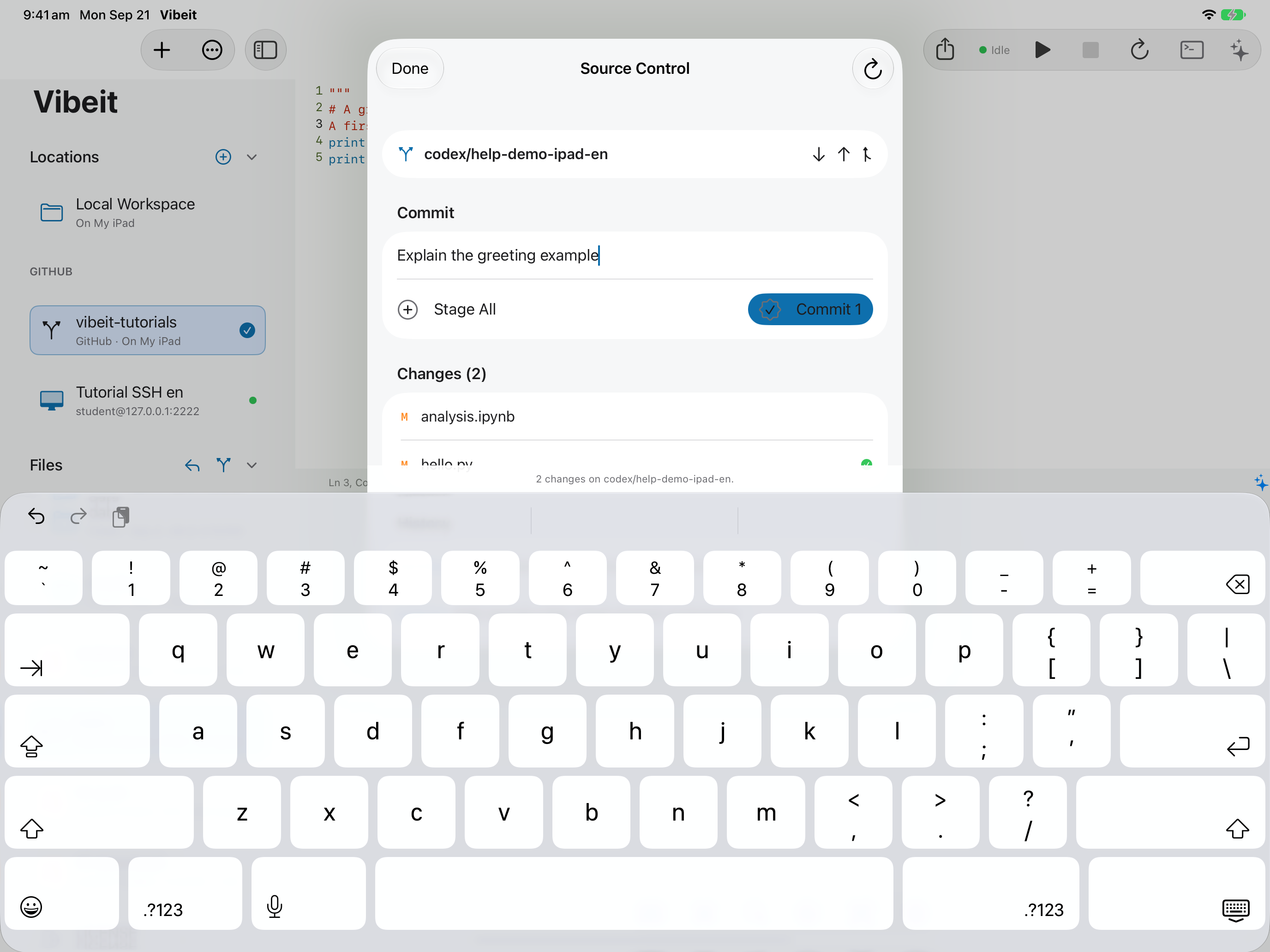
1
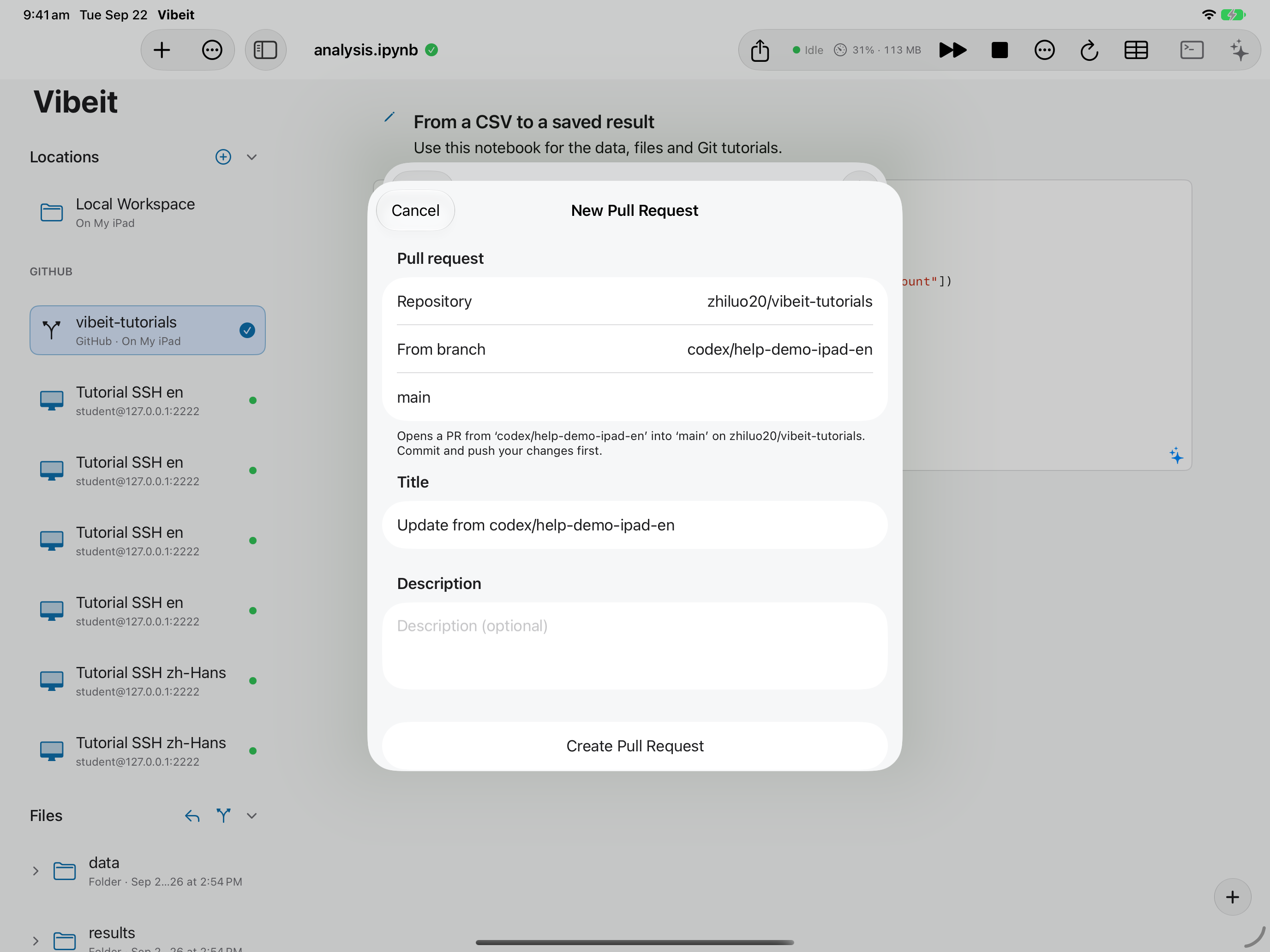
2
3
Check the result
Section titled “Check the result”Open the resulting PR to review its changes. If sync is rejected or histories have diverged, resolve the repository with a suitable Git tool or server terminal before retrying.
If it does not work
Section titled “If it does not work”- Commit records local history; Push sends commits to the remote. Check which operation failed.
- For rejected pushes, inspect the remote changes and your permissions. Do not use a force push as a routine fix.
- If changes conflict, keep a copy and review the affected files before discarding anything.